Video workflowsUpdated Oct 20, 2026

AI Halloween Video Generator

A Halloween portrait can become a short clip without becoming a completely different scene. The trick is to ask for one continuous motion, keep the first frame fixed, and avoid cuts.

Input
Image + prompt
Output
Short video
Model fit
Seedance 2.0
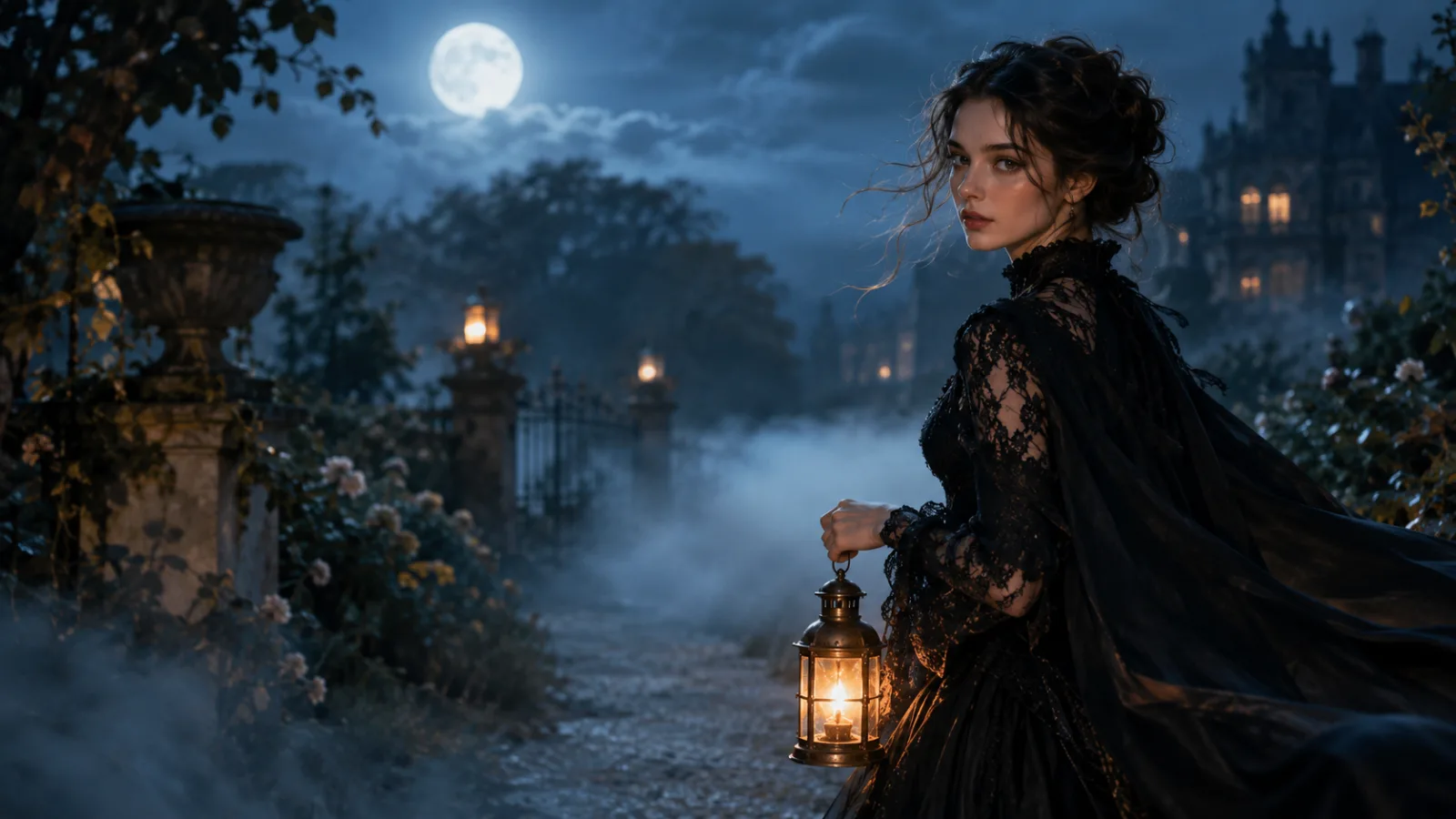
A cinematic Halloween film still of a woman in black lace walking through a moonlit garden with a lantern and drifting fog.

Quick answer

Use image-to-video with a strong starting frame. Ask for one gentle action, one camera move and consistent lighting. A five-second clip is the right first test; longer or more complex motion costs more and is harder to keep stable.

Best for

  • Animating a costume portrait for Reels or TikTok
  • Adding fog, candlelight or a slow camera push-in
  • Creating a short product or character teaser
01

Pick one motion, not a montage

The strongest five-second clips do one thing: a head turn, a blink, a slow push-in, fabric moving in the wind, or fog crossing the frame. If you ask for a turn, a walk, a light change and a camera orbit in the same shot, the model has to invent too many transitions.

Write the action as a continuous sentence. “The subject slowly turns their head toward the camera while the camera pushes in” is easier to follow than a list of five separate events.

02

Lock the first frame

The source image is the anchor. Use a frame where the face, costume and background are already correct. If the still has a distorted hand or a wrong necklace, fix it in the image editor before animating it.

State that the image is the exact starting composition and that identity, costume, hair and body proportions must stay consistent. The video model should add motion, not redesign the character.

03

Write motion cues the model can follow

Use physical cues: hair strands move, fabric edges lift, fog drifts, candle flames flicker, the camera pushes in slowly. Name the speed. “Slow and smooth” is different from “fast and energetic”.

Keep lighting consistent unless the change is the point. A candle brightening is a motion cue; a completely new colour grade halfway through is a cut. If you want a lighting change, describe it as gradual.

04

Plan for a five-second result

Five seconds is enough for one idea. Decide what the viewer should notice at the start and at the end. A slow turn works because the face is visible in the final frame. A walk works when the costume silhouette stays readable.

Review the clip for identity drift, extra fingers, melting fabric, sudden camera jumps and background warping. If one frame fails, shorten the motion or simplify the camera move before spending more credits.

Prompt recipes

AI Halloween Video Generator

Open the video workspace

Midnight Braids — Image to Video

The exact motion recipe from the Halloween research, ready for the video workspace.

Use the provided image as the exact visual reference and starting composition. Create a continuous five-second cinematic Halloween portrait animation. Keep the subject’s recognizable face, costume, hairstyle and body proportions consistent with the reference. The subject slowly turns their head toward the camera with a subtle mysterious expression. A gentle breeze moves loose hair strands and the edges of the clothing. Soft fog drifts through the moonlit garden. The camera performs a slow and smooth push-in. Maintain realistic motion, stable anatomy and consistent lighting. Do not change the person’s identity, replace the costume, add characters or introduce sudden scene cuts. No text or watermarks.
Use this prompt

Text to Video — Candlelit Corridor

A text-to-video prompt for a scene without a character, useful for teasers and backgrounds.

Create a five-second cinematic Halloween shot. A slow tracking camera moves down a candlelit stone corridor while thin fog drifts across the floor. At the far end, a closed wooden door is lit by a single warm lantern. The camera moves forward at a steady, quiet pace. Keep the architecture consistent, the candle flames realistic, and the light warm against cool shadows. No people, no sudden cuts, no text, no logos, no watermarks.
Use this prompt

Model fit

ModelRouteUse it when
Seedance 2.0KIE primary, with FAL and Replicate fallback when configuredShort cinematic motion from a prompt, a first frame, or a reference set, with stable identity and camera movement.

FAQ

  1. 1

    How long can the Halloween video be?

    Start with a five-second clip. The workspace exposes duration and resolution controls, and longer or higher-resolution output costs more credits. A single clear motion is easier to review than a long sequence.

  2. 2

    Which model powers the video workflow?

    The public video workspace uses Seedance 2.0. Tasks are routed through KIE by default, with FAL and Replicate fallback when those providers are configured. Availability and cost depend on the selected duration and resolution.

  3. 3

    Can I animate a photo of a person?

    Yes, with permission from the person in the photo. Use a clean starting frame and ask for subtle motion. Identity preservation is not guaranteed, so review the face and hands before publishing.

  4. 4

    Why does the video drift or morph?

    Long or complex motion gives the model more chances to invent detail. Reduce the action to one movement, lock the first frame, and avoid asking for a new scene, new outfit and new camera angle at the same time.

  5. 5

    Is video generation included in the image credits?

    Video is a separate hosted workflow with its own credit cost based on duration and resolution. Check the pricing page and the cost shown in the video workspace before submitting a task.

Related workflows

Animate one Halloween portrait

Open the video workspace in image-to-video mode and start with a single slow head turn or camera push-in.