Image workflowsUpdated Oct 20, 2026

AI Black Friday Image Generator

Black Friday creative usually needs the same product in several moods: premium, playful, gift-ready, urgent. This workflow changes the set and the light while keeping the product itself recognizable.

Input
Photo + prompt
Output
Image
Model fit
GPT Image 2
Premium unbranded wireless headphones on a dark emerald pedestal with a warm gold rim light.

Quick answer

Upload a clean product photo, name the model, colour, material and label details, then describe the new set and lighting. Do not ask the model to redesign the product. Use a low-cost model for direction and a premium route for the final ad.

Best for

  • Seasonal product stills without a studio shoot
  • Testing several campaign moods from one product photo
  • Creating product visuals for email, ads and landing pages
01

The product must survive the art direction

The source photo is the product truth. Name the object, its proportions, colour, finish, cap or handle, and any label placement that must stay. If the product is a bottle, say “same bottle shape, same cap, same amber glass”; if it is a headphone, say “same cup shape and headband proportions”.

Do not ask the model to add a logo or readable text unless you can supply the exact artwork. Generated lettering is often wrong, and a wrong label makes the image unusable for commerce.

02

Change the set, not the product

Black Friday does not have to mean red and gold everywhere. A dark emerald plinth with a warm rim light reads premium; a clean cream set with one graphic prop reads gift-ready; a saturated red stage reads urgent. Choose one mood and build the set around it.

Keep the product centred or on a third, with enough margin for a price badge, headline or marketplace crop. Ask for negative space explicitly. A beautiful product image with no room for copy is a layout problem later.

03

Use light to create the campaign mood

A hard spotlight creates drama; a large soft source creates a clean catalog look. A coloured rim light separates a dark product from a dark background. Name the light position and the surface: “warm gold rim light from behind, soft frontal fill, matte stone plinth”.

Reflections are part of product realism. Glass and metal need believable highlights. If the first result looks like plastic, add the material and the reflection behaviour instead of increasing saturation.

04

Keep the offer honest

The image can create urgency; it should not invent a discount. Do not generate a fake price, a fake countdown or a claim that a sale is live. Put real offer copy in the page or overlay after the image is approved.

For a seasonal page, keep the same base product image across Black Friday, Cyber Monday and the holiday follow-up. Changing only the set and the copy makes the campaign feel consistent and saves production time.

Prompt recipes

AI Black Friday Image Generator

Open the image editor

Emerald Headphones

A premium set change that leaves room for a real price or headline.

Use the uploaded product photo as the exact product reference. Preserve the headphones’ shape, cup proportions, headband, material and colour. Place the same product on a dark emerald stone pedestal against a deep forest-green backdrop. Add a warm gold rim light from behind, a soft frontal fill and a subtle reflection on the stone. Composition: 16:9 landscape, product on the right third, generous dark negative space on the left for campaign copy. High-end commercial product photography, crisp material detail, no text, no logos, no watermark, no people, realistic geometry.
Use this prompt

Skincare Gift Set

Gift-ready rather than loud, useful for email and landing pages.

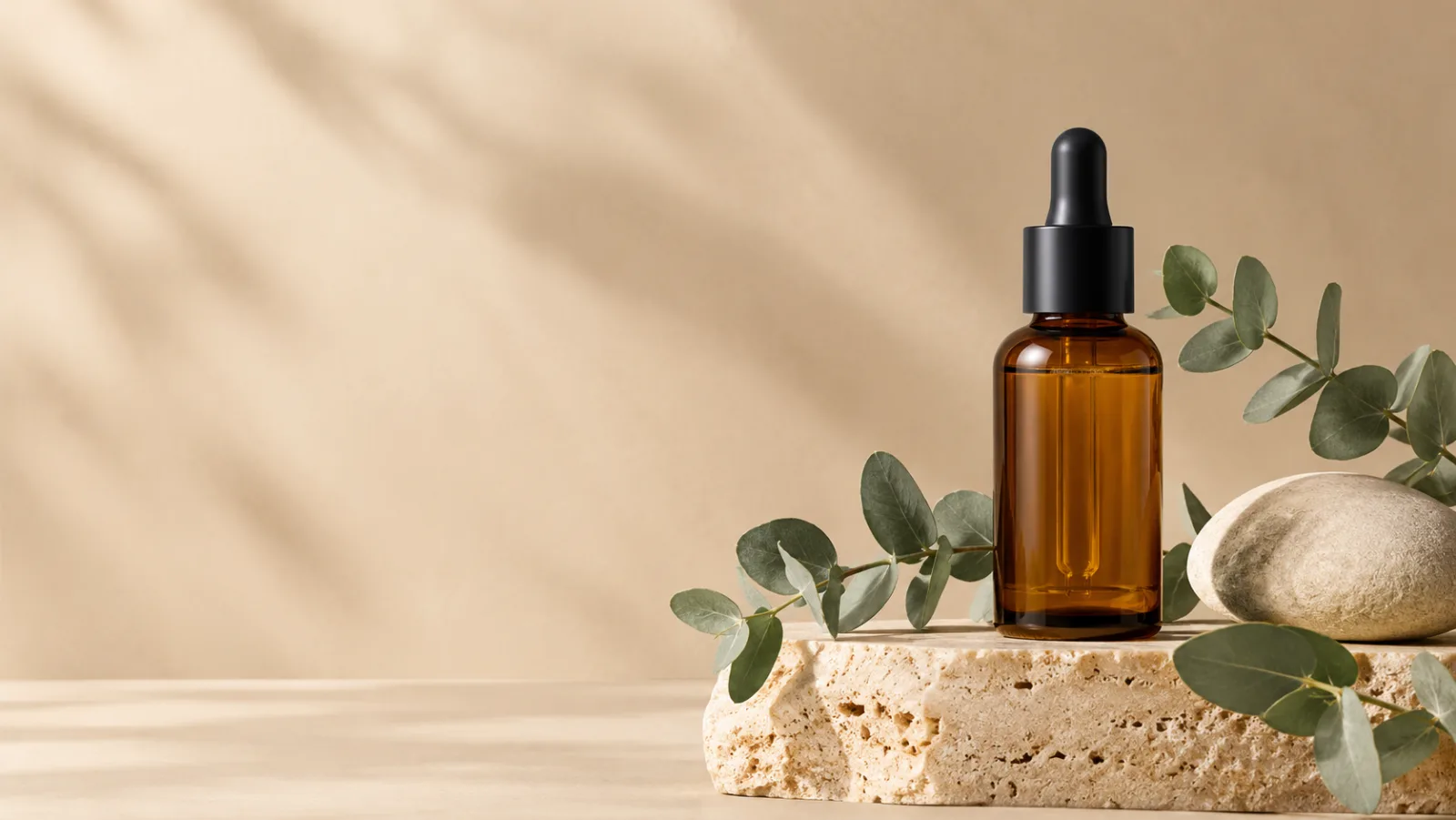
Using the uploaded skincare bottle as the exact product reference, create a Black Friday gift-ready product image. Preserve the bottle shape, amber glass, dropper cap and proportions. Place it on a warm travertine plinth with a cream backdrop, a smooth stone and a single eucalyptus sprig. Use soft diffused daylight, a gentle shadow and a subtle warm reflection. Composition: 16:9 landscape, product on the right, clean negative space on the left. Premium beauty photography, realistic glass refraction, no invented label text, no logos, no watermark, no people.
Use this prompt

Red Stage Sneaker

A more urgent campaign mood without inventing a discount.

Use the uploaded sneaker photo as the exact product reference. Preserve the shoe’s silhouette, sole shape, laces and material blocking. Place the same shoe on a dark burgundy stage under a warm circular spotlight, with fine dust particles in the air and a subtle floor reflection. Composition: 16:9 landscape, shoe on the right third, negative space on the left. Premium commercial product photography, high-speed capture look, realistic materials. No text, no logos, no watermark, no people, exactly one shoe.
Use this prompt

Model fit

ModelRouteUse it when
GPT Image 2KIEDetailed costume briefs, product surfaces, text-heavy graphics, and edits that must follow a long list of constraints.
FLUX 2 ProKIEEditorial texture, product materials, and targeted local edits with a premium finish.
SeeDream 5.0 LiteKIELow-cost drafts, clean lighting, and straightforward background or outfit changes.
Qwen Image EditKIEBudget-friendly object replacement, background cleanup, and quick visual tests.

FAQ

  1. 1

    Can I use my own product photo?

    Yes. Upload a clean product image and describe what must stay the same. The image-to-image route is designed to change the set and lighting while keeping the product recognizable. Review the label, edges and proportions before publishing.

  2. 2

    Will the AI add a discount or price?

    Do not ask it to generate commercial claims. Generated text is often wrong. Keep the product image clean and add the real price, discount and terms as page copy or a designed overlay.

  3. 3

    Which model is best for product images?

    GPT Image 2 and FLUX 2 Pro are the strongest starting points for product detail and material realism. SeeDream 5.0 Lite is useful for cheaper direction tests, and Qwen Image Edit can handle simple background replacement.

  4. 4

    Can I make several campaign variants from one photo?

    Yes. Keep the product reference and the product-lock sentence identical, then change one variable: set colour, light direction, prop or crop. That gives you a coherent campaign rather than unrelated images.

  5. 5

    Does this guarantee a Black Friday sales lift?

    No. The page describes an image production workflow, not a performance guarantee. Test the creative against your real offer, audience and landing page, and judge it by conversion data.

Related workflows

Build a Black Friday product image

Open image-to-image, upload one clean product photo, and change the set before you change the product.