Image workflowsUpdated Oct 20, 2026

AI Halloween Couple Costume Generator

Two-person edits add one hard requirement: both people must still look like themselves. The costume can be theatrical; the identities cannot drift or swap.

Input
Photo + prompt
Output
Image
Model fit
Nano Banana 2
A couple in coordinated celestial cowboy and angel-inspired costumes standing on a foggy forest path at twilight.

Quick answer

Upload one clear photo per person, describe each costume separately, state that there are exactly two people, and ban face swapping. Coordinated colour and silhouette matter more than matching every accessory.

Best for

  • Couple Halloween cards and invitations
  • Coordinated costume ideas before buying outfits
  • Matching portraits for a party or social post
01

Start with two clean references

Each person needs one clear, front-facing photo with even light. Avoid photos where one face is much smaller, turned away, or hidden by a partner. If you only have a group photo, crop each person separately before uploading.

The two photos do not need the same background, but they should have similar lighting direction. If one is lit from the left and the other from the right, the final portrait will need a lighting decision that may change one face more than the other.

02

Choose one visual system for both costumes

Coordinated does not mean identical. Pick a shared palette, era or material, then give each person a distinct role. Midnight blue and silver, velvet and lace, celestial and earthly: the connection should be visible at a glance without turning both people into the same silhouette.

Name each costume in its own sentence. If both descriptions are mixed together, the model may blend the outfits or assign the wrong garment to the wrong person.

03

Protect two identities in one frame

Use “two separate identity references” and “do not swap faces” explicitly. Add “exactly two adults” and “keep each person’s face, skin tone, age and body proportions”. If one person wears glasses, a beard or a distinctive hairstyle, mention it as part of the identity lock.

Review the result in this order: person A’s face, person B’s face, hand count, then costume assignment. A beautiful image with swapped faces is not usable.

04

Direct the pose and spacing

A simple pose reads better than a complex embrace. Standing shoulder to shoulder, walking together, or one person slightly in front gives the model clear silhouettes. Describe the connection: holding hands, looking at each other, or both facing the camera.

Leave space around the couple. Tight crops make it harder for the model to keep both bodies coherent. A wider composition also gives you room to crop for different social formats.

Prompt recipes

AI Halloween Couple Costume Generator

Open the image editor

Celestial Cowboy and Angel

One shared palette, two clearly different silhouettes.

Use the two uploaded photos as separate identity references. Preserve both people’s faces, skin tones, ages and body proportions. Dress them in original coordinated Halloween costumes: one midnight-blue celestial cowboy outfit with silver embroidery and a wide brim hat, one ivory and silver angel-inspired outfit with soft feathered shoulders. Place them on a foggy forest path at twilight with warm lanterns and low mist. Cinematic editorial photography, realistic fabric, natural poses, exactly two adults. Do not swap faces, add a third person, distort hands, add text, logos or watermarks.
Use this prompt

Disco and Classic Horror

A contrast pairing: playful retro against elegant horror.

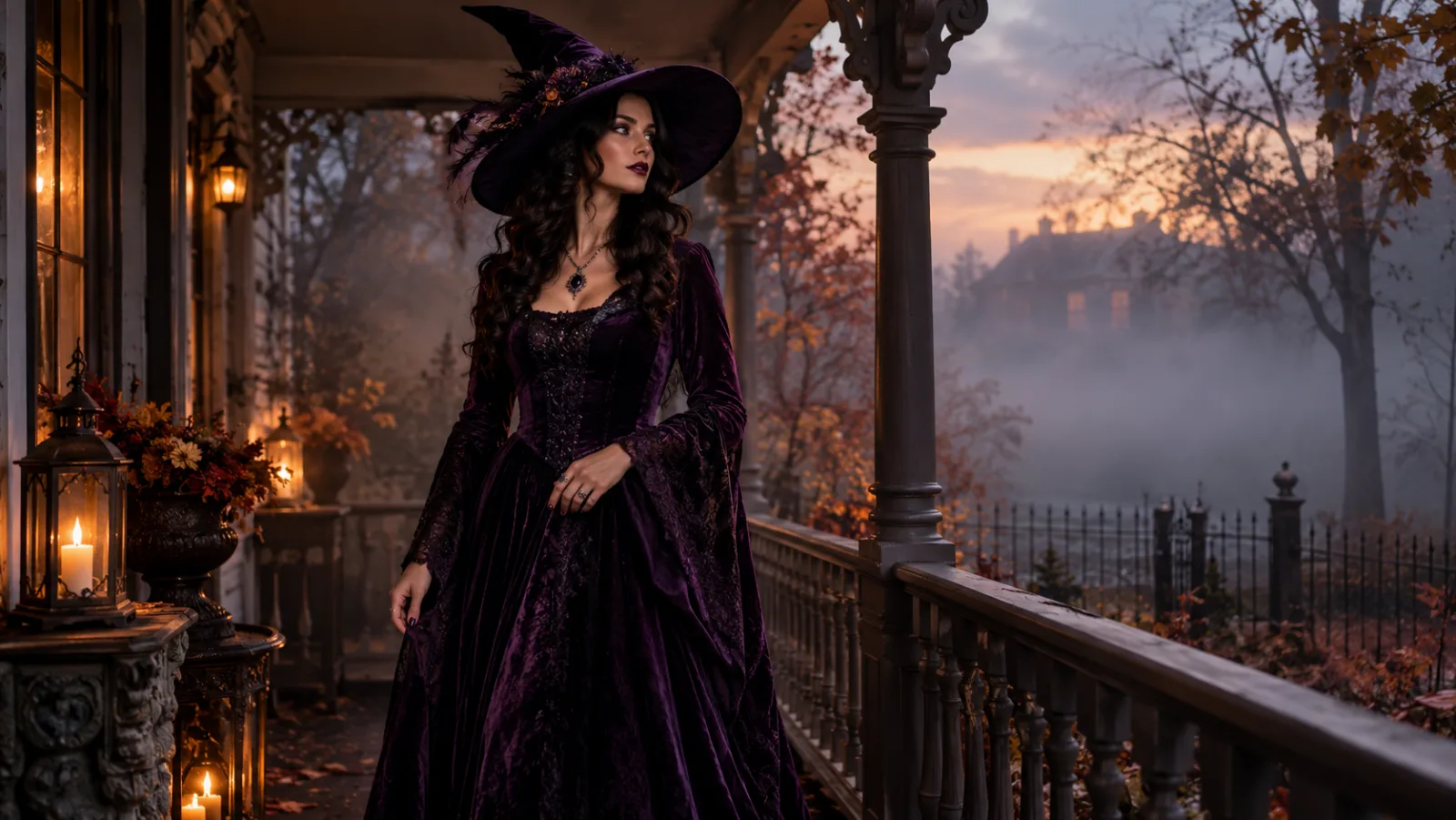
Edit the two uploaded photos into a coordinated Halloween couple portrait. Keep both faces, skin tones, ages and body proportions recognizable. Dress one person in a playful 1970s disco-inspired outfit with a brown patterned shirt and flared collar; dress the other in an elegant black velvet horror-inspired gown with lace sleeves. Place them in a warm retro living room with a record player, amber lamps and a subtle fog. Photorealistic editorial photography, realistic textures, exactly two people. Do not swap identities, add characters, distort hands, add text, logos or watermarks.
Use this prompt

Moonlit Fantasy Pair

A fantasy direction that still depends on two distinct identities.

Using the two uploaded photos as identity references, create a moonlit fantasy Halloween portrait. Preserve both people’s faces, ages, skin tones and body proportions. One wears a deep green forest cloak with antler-inspired headpiece; the other wears a silver moon-priestess gown with a delicate crescent crown. They stand side by side in an ancient stone circle under a full moon, with soft fog and distant candles. Cinematic fantasy photography, realistic fabric, natural anatomy, exactly two adults. Keep both identities distinct. Avoid face swapping, extra people, distorted hands, text and watermarks.
Use this prompt

Model fit

ModelRouteUse it when
Nano Banana 2KIEFast portrait edits, identity preservation, and simple multi-reference compositions.
GPT Image 2KIEDetailed costume briefs, product surfaces, text-heavy graphics, and edits that must follow a long list of constraints.
Nano Banana ProKIEHigher-fidelity portraits, fabric detail, and scene continuity when the result needs a final polish.
SeeDream 5.0 LiteKIELow-cost drafts, clean lighting, and straightforward background or outfit changes.

FAQ

  1. 1

    Can the AI keep both faces in a couple photo?

    It can attempt it, but two-person edits are harder than single portraits. Use one clear reference per person, name both people separately, and explicitly ban face swapping. Review each face before judging the costume.

  2. 2

    How many photos should I upload?

    Start with one good photo per person. More references can help, but only if they are consistent and clearly belong to the right person. Mixed lighting and angles often make the result worse.

  3. 3

    Can I add a third person or a pet?

    You can describe a group scene, but each additional subject increases the chance of identity drift and extra limbs. Build the couple first, then attempt a third subject in a separate pass if the model supports multi-reference editing.

  4. 4

    Is the couple costume generator free?

    No. The hosted workflow uses purchased credits and has no unlimited free tier. The prompts on this page are free to read and copy.

  5. 5

    Why did the costumes blend together?

    The model probably treated the two outfits as one description. Separate them into two sentences, name which person wears which garment, and add “do not merge the costumes”.

Related workflows

Make a coordinated couple portrait

Open image-to-image, upload two clear photos, and describe each costume in its own sentence.